
Break Down
Total Costs
for Every Client

Get Instant Access to the Product Comparison Calculator
Our Product Price Comparison Calculator lets you compare rates, terms, and true total costs side by side — so you walk into every client meeting with a clear, confident recommendation.
Three Steps to a
Clear Proposal
From inputs to client-ready comparison in under two minutes.
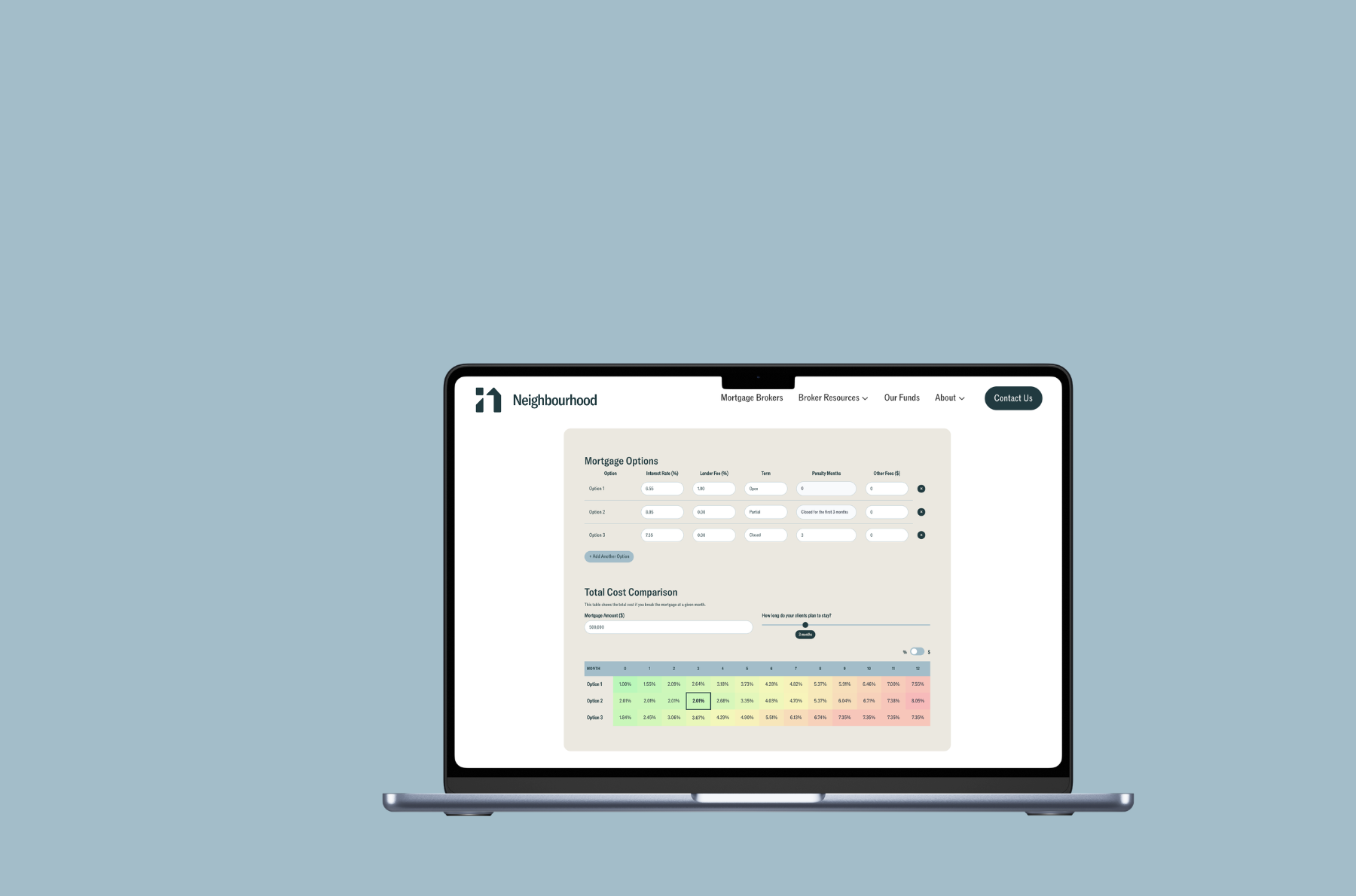
Input the rate, lender fee, term type, and penalty months for each mortgage product you're comparing.
Enter the mortgage amount and how long your client plans to stay — the calculator does the rest instantly.
Share the side-by-side total cost breakdown with your client and guide them to the option that fits theirs sitatuion most ideally.
Everything You Need
to Close with Confidence
Built specifically for mortgage brokers who want to give clients a clear, side-by-side view of every option.

Frequently Asked Questions
For more questions about our broker tools, you can always reach out to at success@neighbourhood.com
The Product Comparison Calculator is built exclusively for licensed mortgage brokers. It's designed to support client conversations — not as a consumer-facing tool.
Yes — completely free for licensed mortgage brokers. No credit card, no trial period, no hidden fees.
You can compare any combination of closed, partially open, and fully open term mortgages. For each option, adjust the rate, lender fee, and term length — penalty months are adjustable for closed term mortgages.
Results are estimates based on your inputs and are for informational purposes only. They do not constitute a mortgage approval or commitment. Product availability and pricing are subject to change pending full application review.
Not at all — the calculator is free for any licensed mortgage broker to use. We love building tools that make brokers' lives easier. That said, we'd always love to connect if you're interested in learning more about our products and how we work with brokers.
The 'total cost' reflects the cumulative cost of each mortgage option at a given break point — factoring in interest payments, lender fees, and prepayment penalties where applicable. It's designed to give brokers and their clients a true apples-to-apples comparison beyond just the rate.
You can add as many options as you need using the 'Add Another Option' button — there's no set limit. We recommend comparing two to three options to keep the conversation clear for your clients.
We provide alternative mortgage solutions across BC, AB, SK, ON, NS, and QC for 1st mortgages, and in BC, AB, and ON for 2nd mortgages. Our product suite includes the Classic 1-Year Program and the ALT-A 2-Year Program. For more details, reach out to our sales team at connect@neighbourhood.com.